
-
-
Sort through our administrative resume examples to see what works best for you.
-
Our sales resume examples can help you write the best possible resume.
-
Explore our food service resume examples to show your skills effectively.
-
Start crafting your job-winning resume with our teaching resume examples.
-
-
-
Use our administrative cover letter examples for ideas on writing your own.
-
Use our sales cover letter examples to effectively show your sales accumen.
-
Write your job-winning cover letter following our nursing cover letter examples.
-
Learn to tell your story in education using our teaching cover letter examples.
-




- Our customers have been hired by*
-

You might think there’s only one way to write a good resume—think again. Recruiters agree on three approved resume formats to help professionals at every career stage feature their strengths.
In this guide, you’ll learn the differences between each of the resume formats and how to choose the right one for your experience level and skill set.
What Are Resume Formats?
Resume formats determine the structure you use to organize your resume’s sections to present your strongest selling points. Here’s an overview of the three resume formats you can choose to write a professional resume optimized for today’s job market.
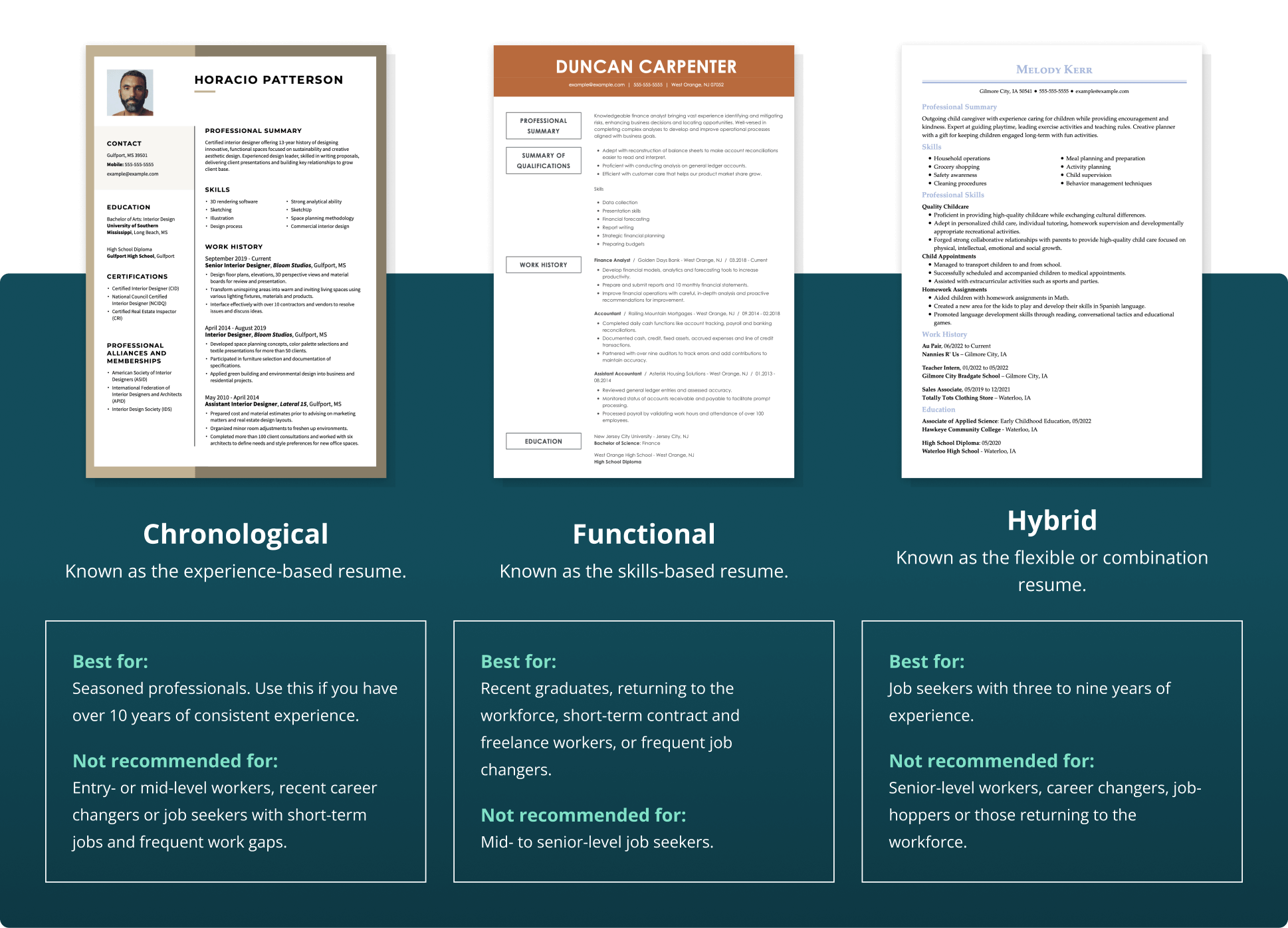
1. The chronological resume format focuses on the work history section, where you list jobs in reverse-chronological order. This is the format most job seekers are familiar with, and it’s best for applicants with 10 or more years of relevant experience.
2. The functional resume format emphasizes the skills section and shares accomplishments by skill category instead of job titles. This format works best for candidates with little to no experience, such as first-time job seekers and recent graduates.
3. The hybrid resume format, also called the combination format, mixes formatting elements from the other two formats, creating a balanced resume that highlights experience and skills equally—great for mid-career applicants and career changers.
Despite their formatting differences, every resume format includes the five must-have resume sections: contact information, summary or objective, work experience, skills, and education. If you’re eager to update your resume, use our Resume Builder to easily customize and rearrange your sections into any of the recruiter-approved resume formats.


PRO TIP:
“Resume format” and “resume formatting” aren’t the same thing. Format is how you organize your sections to best present your career, while formatting is the visual design—fonts, spacing, and layout. We’ll start with resume formats, then move into formatting tips.
How to Pick the Best Resume Format
The best resume format will be the one that best suits your unique needs as a job seeker, taking into account your experience level and career goals.
Let’s go through each resume format in detail, so you can make an informed decision on which one is right for you.
Chronological Resume Format
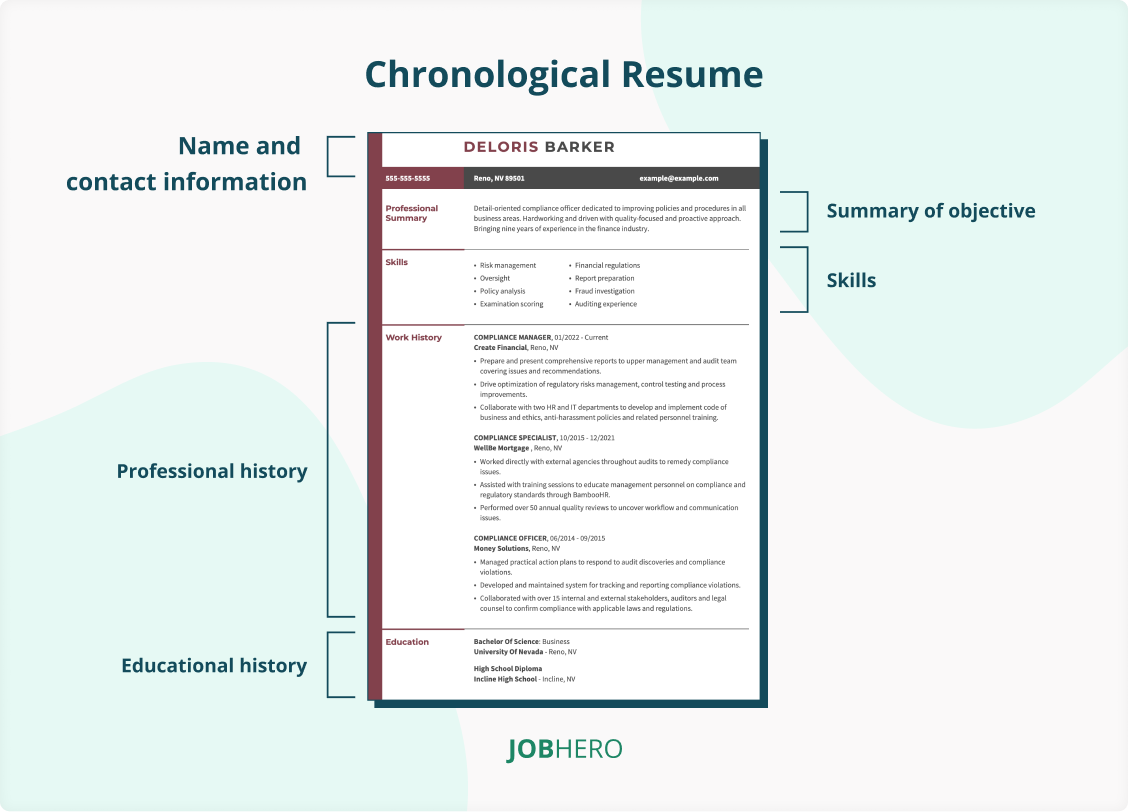
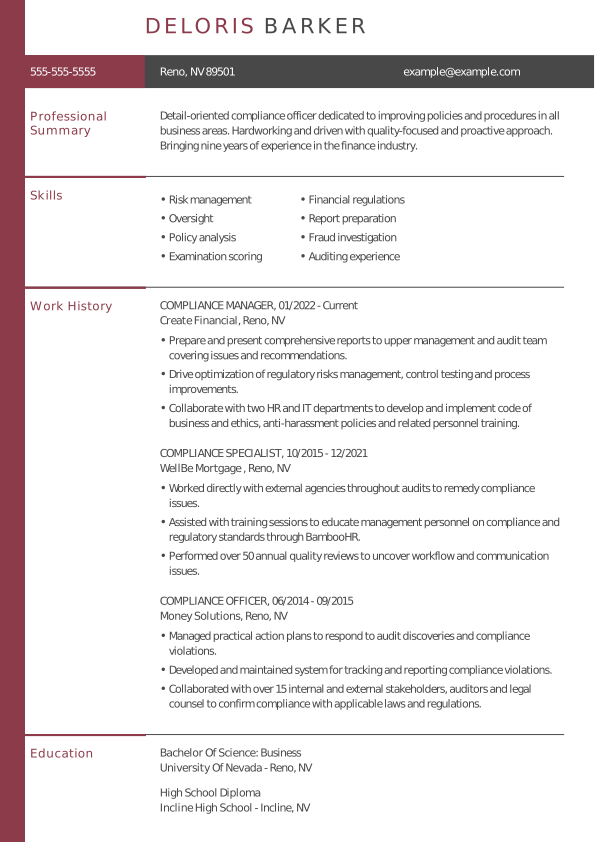
The chronological resume format uses a reverse-chronological work history section to share your past jobs and show steady job growth and commitment to your career. This resume format is best for candidates with over 10 years of experience in a dedicated career path or industry. Use this format if you’re a senior-level or management professional.
A chronological resume includes these resume sections in this order:
- Contact information
- Resume summary
- Work history
- Skills
- Education
 Pros
Pros
 Pros
Pros- Highly detailed work history bullet points that show career progression and important milestones for a senior-level professional
- The most commonly used format and the one most employers are familiar with
- Standard section order and formatting, making it most compliant with applicant tracking systems (ATS)
Cons
 Cons
Cons- Makes employment gaps and short careers obvious because of the emphasis on job titles and dates
- Includes only one skills section in a bullet point list, limiting the number of qualifications you can share on your resume
- Emphasizes a focused and direct resume summary that may overlook the more varied or developing experience of first-time job seekers and recent graduates
Functional Resume Format
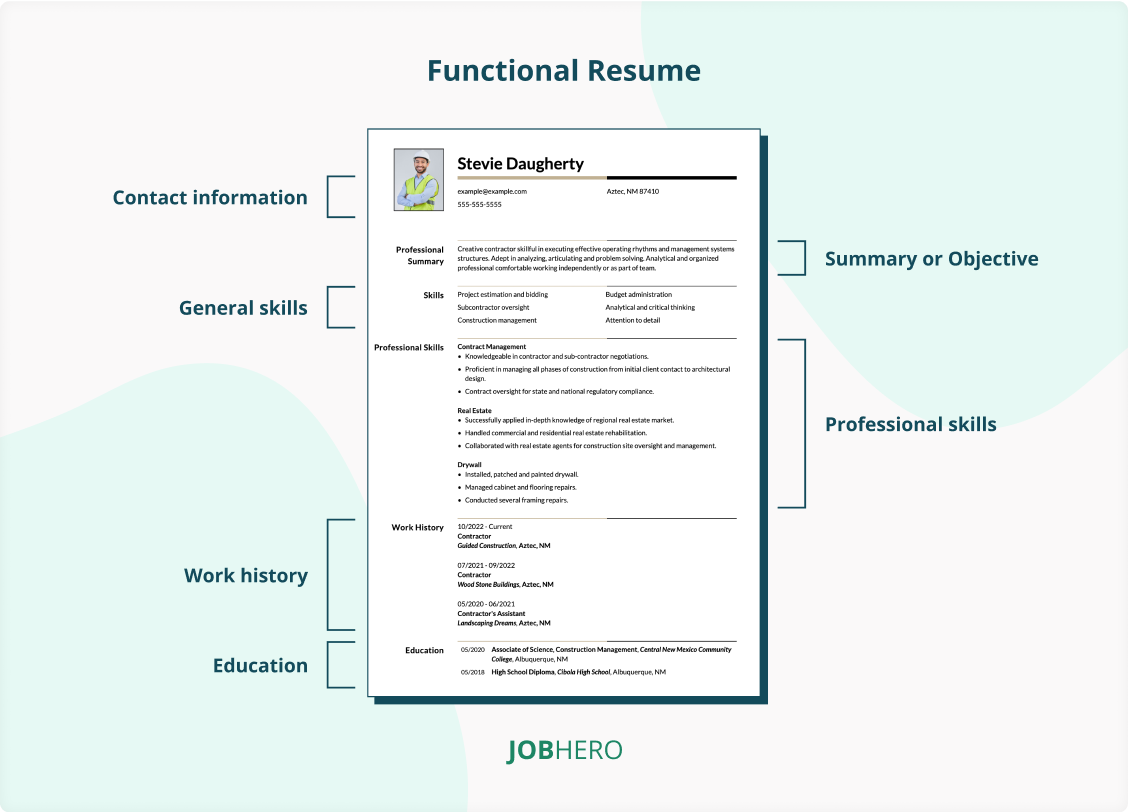
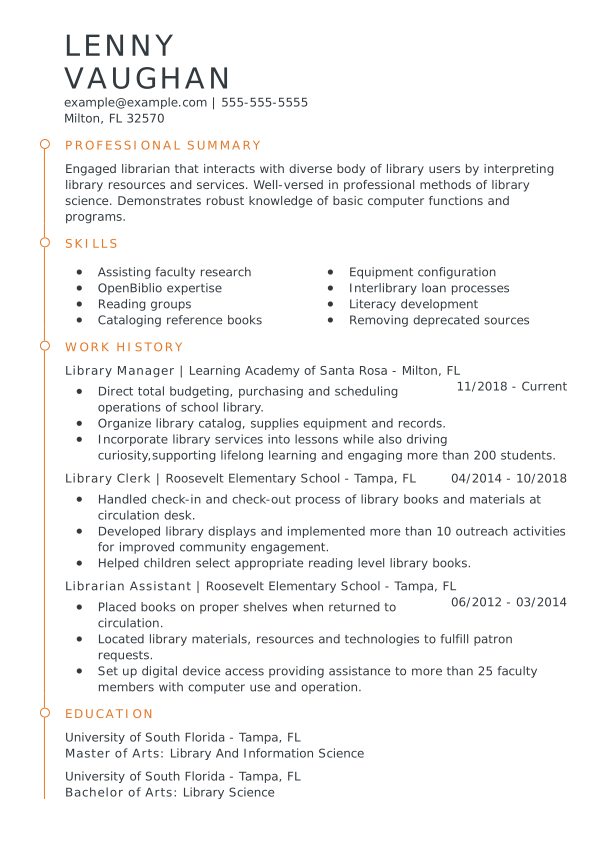
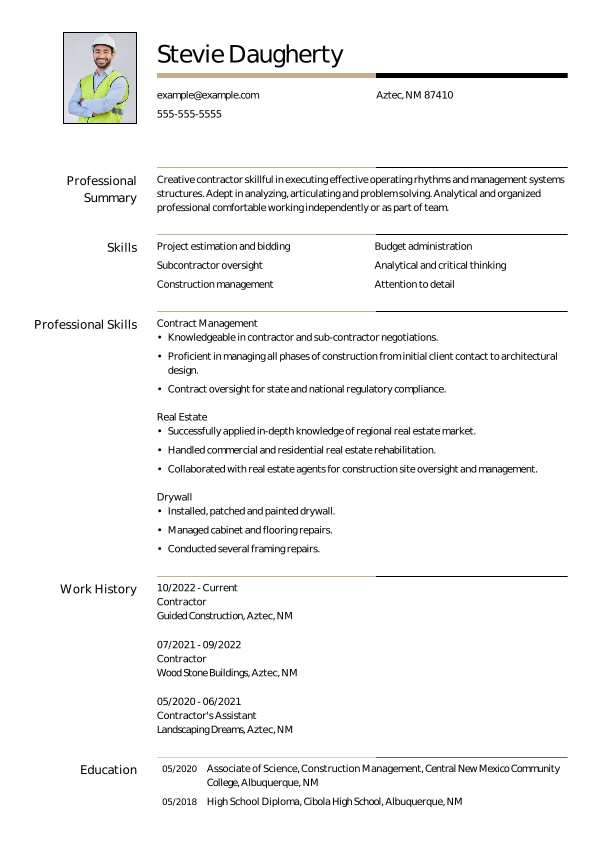
The functional resume format organizes your experience by skill areas instead of by job titles or dates. It highlights what you can do rather than where or when you did it. This format is best for candidates with career gaps or those with limited work experience. Use this format if you want to emphasize transferable skills over a traditional work history.
As the most customizable resume format, a functional resume can include these sections:
- Contact information
- Resume objective
- Skills (expanded list)
- Work history
- Education
Optional sections:
- Additional skills (bulleted list)
- Summary of qualifications
Pros
- Highlights must-have skills and abilities first, making it ideal for students or job seekers with limited experience
- Showcases your career objective upfront, helping employers quickly see your goals and how your skills align with the role
- Downplays employment gaps, short-term roles, or unrelated jobs
Cons
- Work history is less detailed, which can make employers question your experience
- Some recruiters are less familiar with this format and may distrust it
- Might raise flags in some ATS because skills are separated from job titles and dates
PRO TIP:
Choose a resume format that tells your career story most effectively—think about what you want employers to notice first. For some, skills should lead; for others, a clear work history shows growth. Tailoring the format to highlight your strengths can make your resume more compelling at a glance.
Hybrid or Combination Resume Format
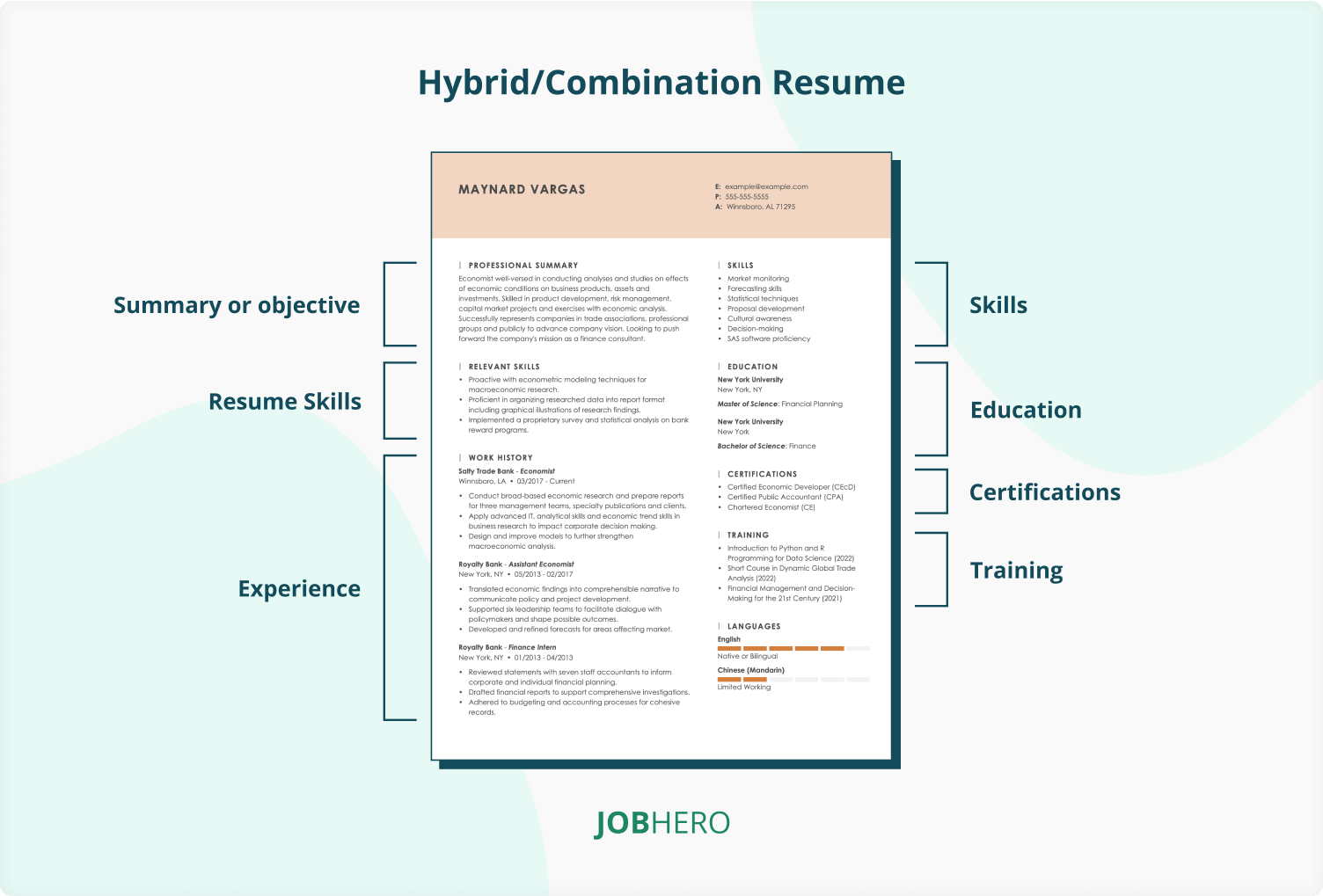
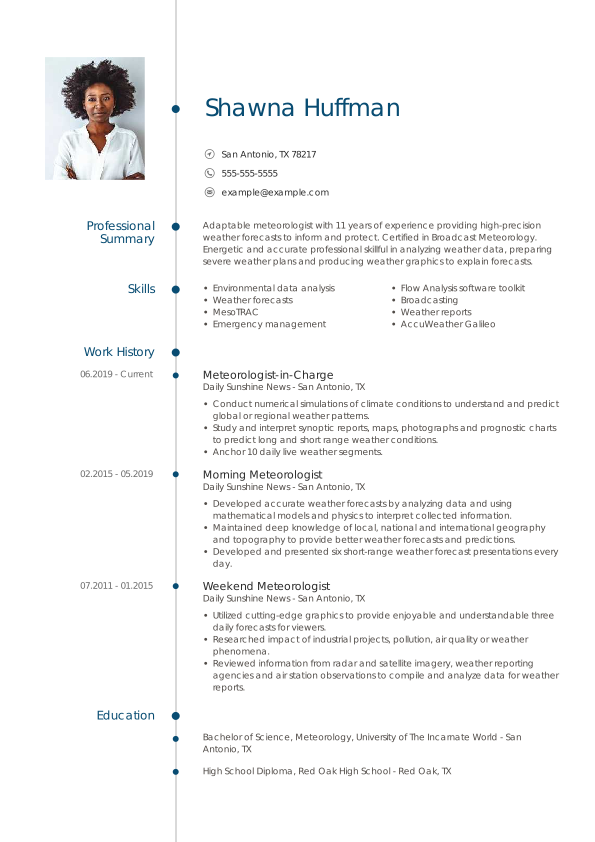
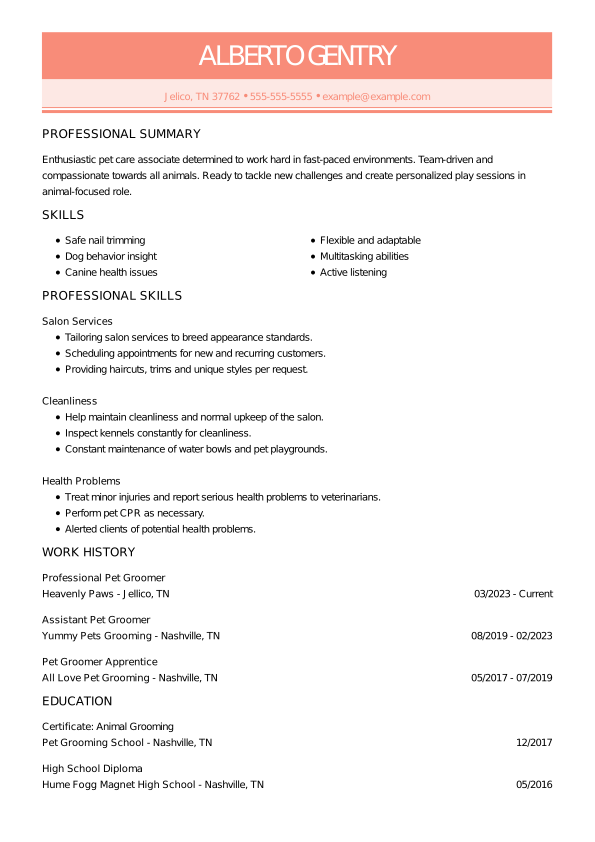
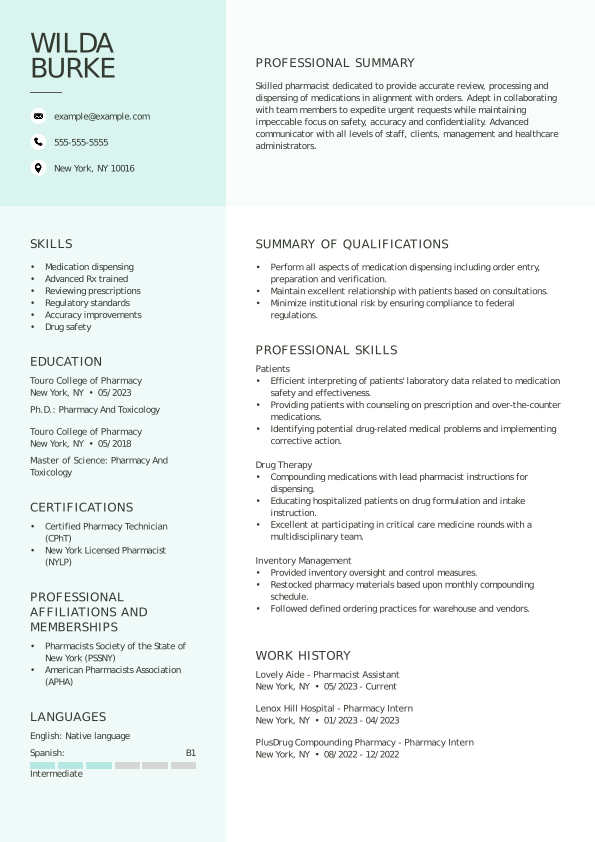
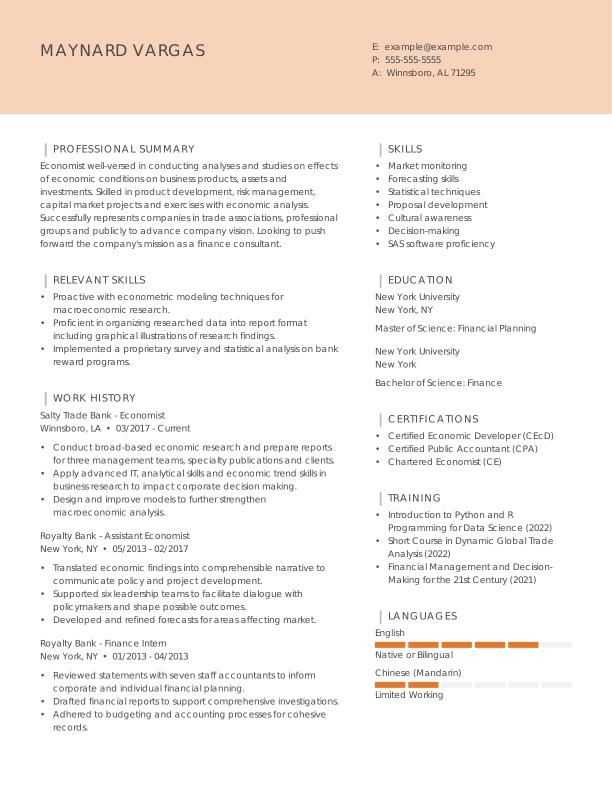
The hybrid (or combination) resume format blends the best of both worlds: it showcases your key skills at the top while still including a reverse-chronological work history. This format is ideal for career changers, applicants seeking promotions, or anyone who wants to highlight both their abilities and their career progression. Use it if you have strong skills to feature, but also want to demonstrate a consistent work history or relevant achievements.
The hybrid resume will always include these resume sections in this order:
- Contact information
- Resume summary or objective (your choice)
- Skills
- Work history
- Education
Optional sections you can include:
- Summary of qualifications
Pros
- Balances skills and experience, letting candidates showcase both without downplaying either
- Flexible and customizable, making it suitable whether you have extensive experience or are just starting out
- A great fit for military personnel moving to civilian jobs that can highlight transferable skills
Cons
- Can be longer or more complex, which may overwhelm some recruiters at a glance
- Less standardized than chronological resumes, so some ATS may misread sections if not formatted carefully
- Requires careful balance—overemphasizing skills can make your work history seem secondary, while too much focus on jobs can undercut the skills section
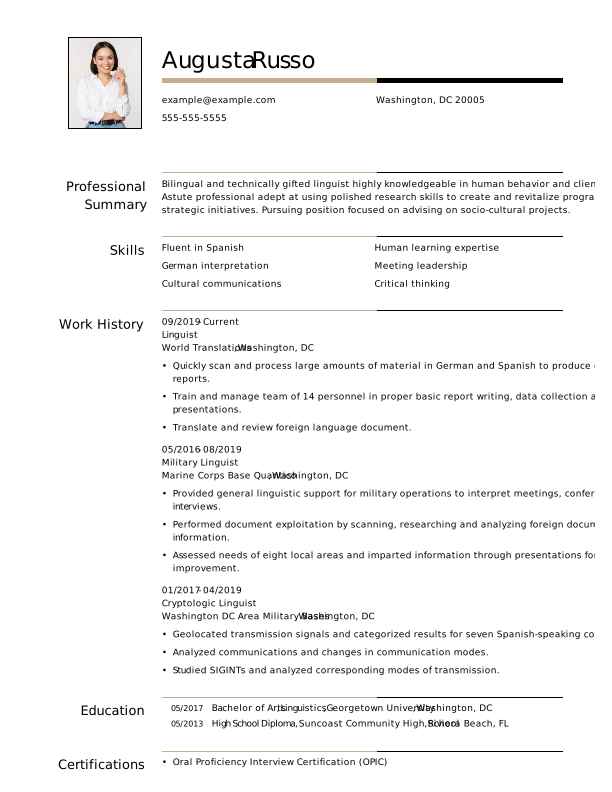
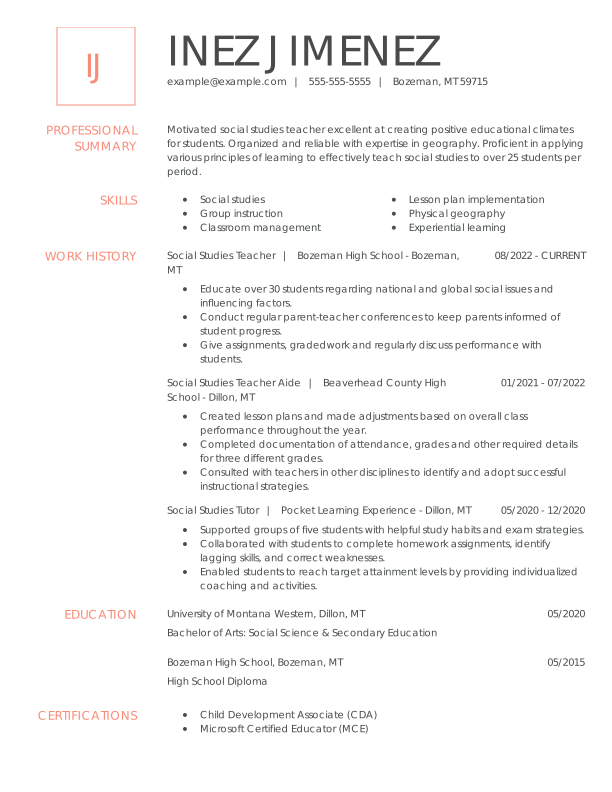
Key Resume Formatting Tips
Let’s cover some of the best resume tips and formatting essentials for a well-organized, professional resume.
Fonts
A simple resume font makes it easy for hiring managers to quickly read and understand your resume format.
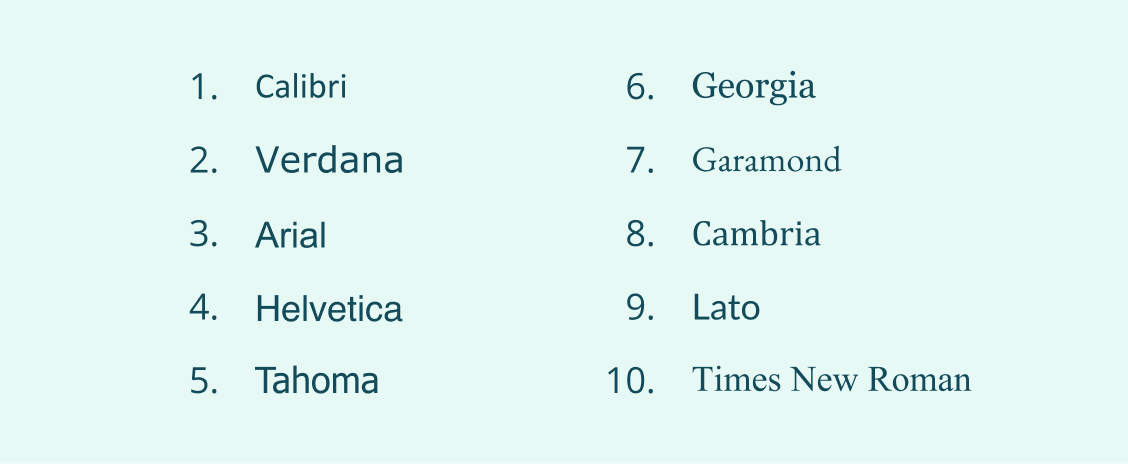
- Use a standard font like Arial, Aptos, Cambria, or Times New Roman.
- Avoid handwritten fonts like

 , or
, or  .
. - Set your font size between 10 and 12 points for your main content, and 14 and 16 for headings.
Check out the following standard fonts:

Margins
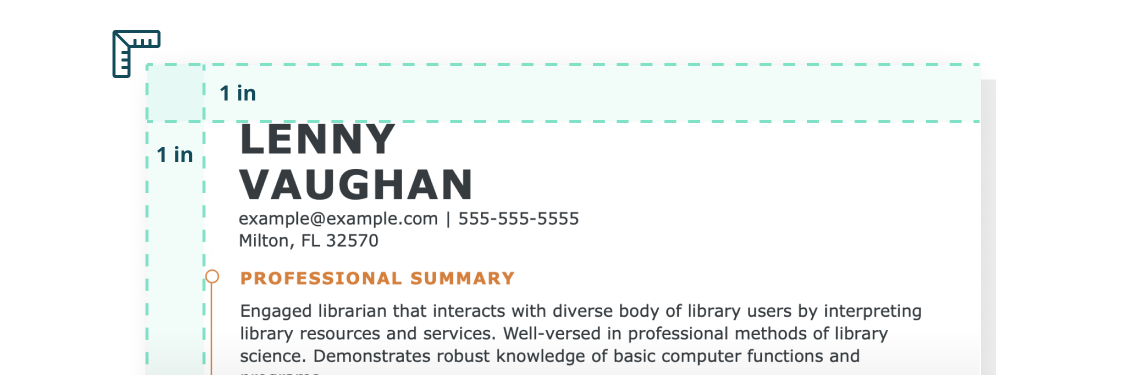
Margins create a visual frame around your qualifications and add whitespace around your dense resume sections. This balance between text prevents eye strain and helps hiring managers easily move from one line to another.
- Use standard 1-inch margins on all sides.
- Go as small as half-inch margins if you need more space for a one-page resume.

Resume Sections
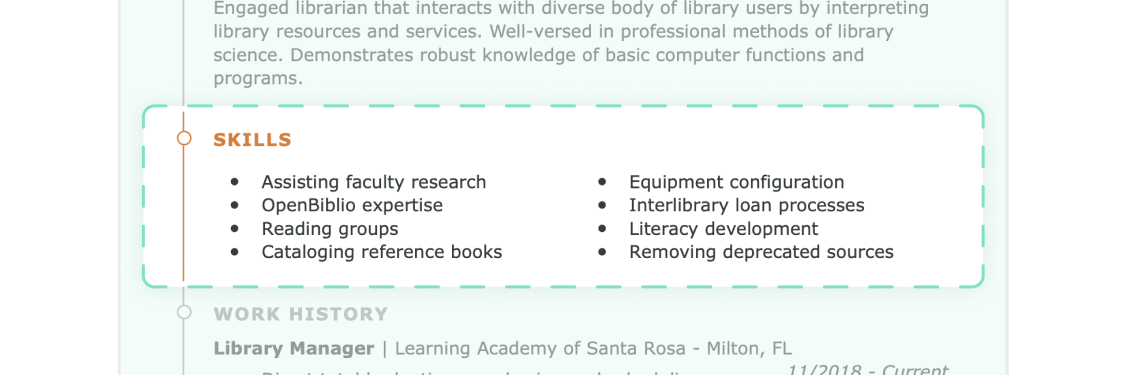
Include standard sections so hiring managers can easily see your work history, skills, and training. While each format may arrange sections differently, they all typically include:
- Contact information
- Summary statement
- Skills
- Work history
- Education

Section Headers
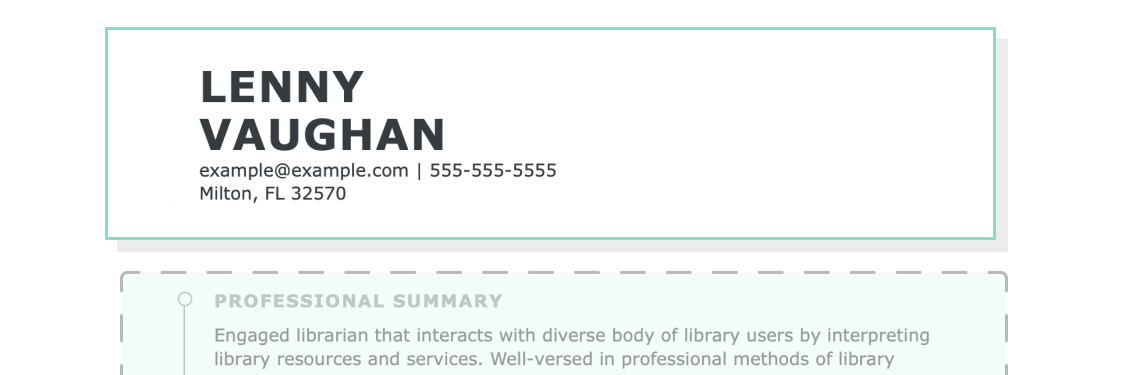
Format your resume with clear section headers. These visual markers help hiring managers quickly find relevant information in your resume. Make your section headers clear by:
- Choosing a larger font size or special treatment like bold text
- Opting for design borders to create visual breaks throughout the resume
- Adding an extra line break before new sections to create whitespace between sections
- Utilizing a single color to mark each section
- Using a free resume template with predesigned section headings

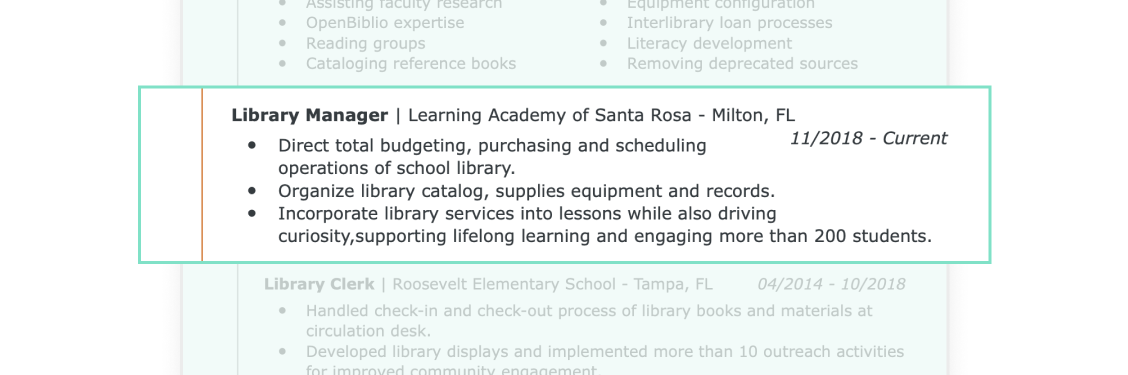
Bullet Points
Use short bullet points or numbered lists to describe your skills and work history, making it easier for hiring managers to quickly understand your accomplishments.

Line Spacing
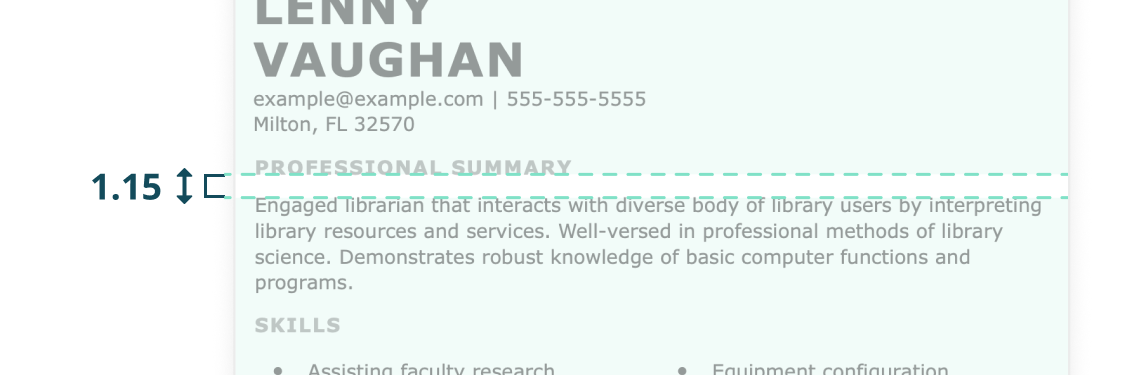
Line breaks between your sentences and sections also help create whitespace and natural breaks between lines.
- Use single or 1.15 line spacing within each resume section to pack the most information in your one-page resume.
- Use 1.5 or double line spacing between resume sections to create a break between your qualifications.

File Format
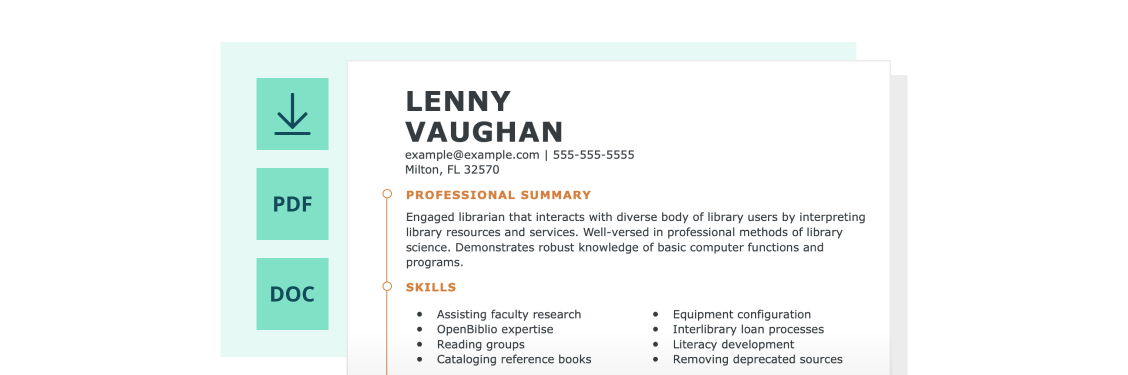
Different operating systems can reformat or resize your resume, making it hard to read. To minimize this risk, save your finished resume as a PDF.
Create a standardized document in our award-winning Resume Builder.

Why Use a Resume Format Template
Writing a resume can feel overwhelming, but a preformatted template makes it fast and easy to create a professional, polished resume. JobHero’s resume templates are designed to help you highlight your skills, experience, and accomplishments with minimal effort. Here are six reasons our preformatted templates work for you:

Impressive Designs
Choose from dozens of professionally designed templates with modern, sleek designs to suit all styles and industries—from bolder and unique templates to traditional and classic layouts.

Automatic Formatting
Our resume templates include customizable sections you can move around without breaking the layout. With a single click, resize your page, adjust margins, and add or delete sections.

User-Friendly
JobHero’s templates are easy to use. Choose to download our free templates and edit in Word or Google Docs, or opt for a seamless experience by letting our builder guide you through the process step by step—no guesswork needed!

Tailored Content Suggestions
With our premium templates, access ready-made content based on your target job to quickly write your summary, work experience, and skills sections. Our expert content recommendations feature real job-specific achievements and up-to-date skills.

ATS-Friendly
Many employers use ATS to scan resumes for relevant keywords. Our templates are fully ATS-compliant, and the builder even recommends industry-specific keywords to boost your chances of getting noticed.

Time-Saving
With all formatting, layout, and content guidance built in, you can create a professional resume in a fraction of the time it would take to start from scratch.
What Customers Have to Say About Our Builder
Resume Formats FAQ
Which format do most employers prefer for resumes?
Most employers prefer the chronological resume format because it’s the most common and most ATS-friendly. That said, today’s recruiters are trained to identify and analyze all formats, and ATS have advanced to scan these formats when organized following ATS formatting rules (no photos, graphics, or complex designs).
How far back should a resume go?
Your resume should cover your last 10 to 15 years of experience, or as far back as it’s relevant to your target job. Most importantly, your resume’s work history should include your current job and any past jobs that relate to the role you’re applying for. If you’ve had a steady career, you can use a chronological resume. On the other hand, if your career has been interrupted, consider a functional resume—or even a combination resume—to omit or downplay career gaps.
Can I change my resume format in JobHero’s builder?
Yes! JobHero’s Resume Builder lets you change your resume’s format and switch to a new one with ease. Here’s how it works:
- Upload your resume. Choose the “Upload resume” option. The builder scans your resume and makes it fully customizable.
- Select a template. Pick a template and click to start editing.
- Personalize your resume. Add your experience, choose fonts and colors, and drag-and-drop sections to organize your story exactly how you want.
What are the best resume formats for students?
The functional resume is the best format for high school or college students. It emphasizes skills and education over work history, making it ideal for those with limited professional experience. With a functional resume, you can highlight academic achievements, internships, volunteer work, awards, and recognitions—while minimizing gaps in relevant work experience.