-
-
Sort through our administrative resume examples to see what works best for you.
-
Our sales resume examples can help you write the best possible resume.
-
Explore our food service resume examples to show your skills effectively.
-
Start crafting your job-winning resume with our teaching resume examples.
-
-
-
Use our administrative cover letter examples for ideas on writing your own.
-
Use our sales cover letter examples to effectively show your sales accumen.
-
Write your job-winning cover letter following our nursing cover letter examples.
-
Learn to tell your story in education using our teaching cover letter examples.
-






- Our customers have been hired by*


Entry-Level VMware Administrator Resume
This resume example effectively showcases the technical expertise and achievements of career changers, making it an ideal choice for those transitioning into VMware administrator roles.

Why this resume works:
Highlights VMware administration, performance optimization, and certifications over experience gaps.

Mid-Career VMware Administrator Resume
This VMware Administrator resume example is perfect for professionals with relevant experience who are eager to improve their skills and take on more challenging roles in virtualization management.
Why this resume works:
This applicant highlights a track record of improving outcomes across multiple settings.

Experienced VMware Administrator Resume
This VMware administrator resume showcases a wealth of experience, making it perfect for professionals aspiring to elevate their careers in advanced IT roles.
Why this resume works:
Leadership roles and advanced certifications underscore the ability to manage complex scenarios.

Looking for something else?
Create Your Standout Resume Today
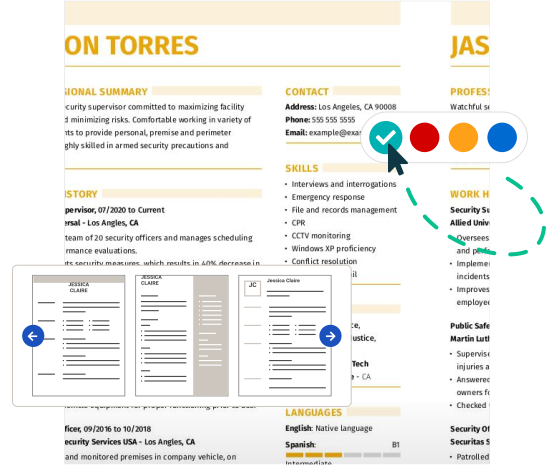
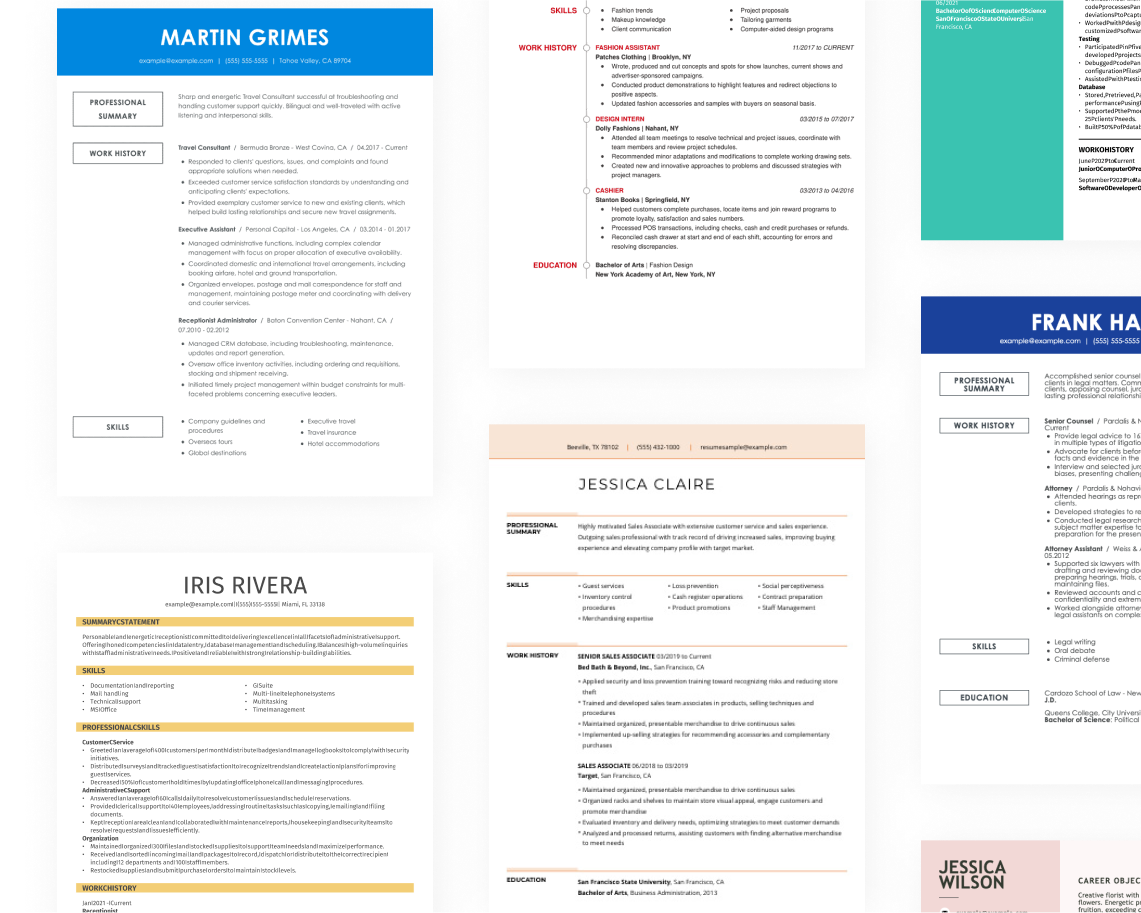
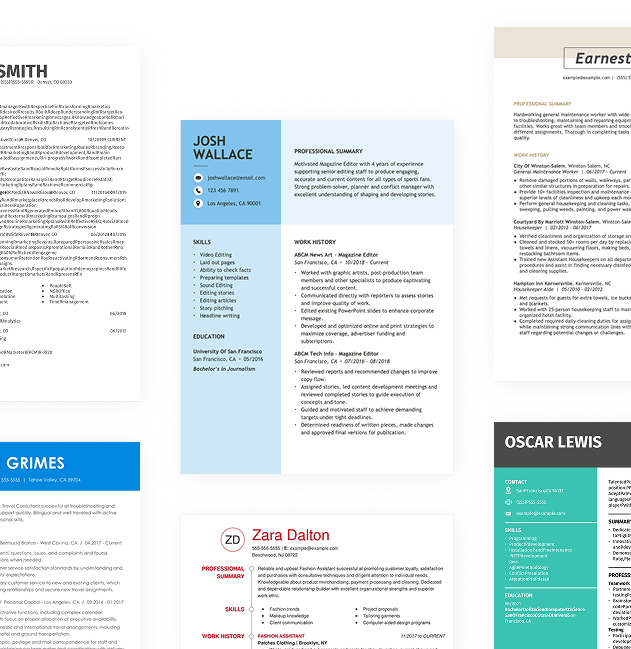
Use our resume examples for inspiration on organization, color, and design—and learn how to effectively summarize your VMware administrator skills and experience with confidence.
How to Write a VMware Administrator Resume
Learning how to write a resume is key to highlighting your unique value as a VMware administrator, moving beyond just listing your technical skills. By effectively showcasing your experiences and achievements, you can capture the attention of potential employers.
In the following sections, we will outline step-by-step guidance on resume tips specifically for VMware administration roles. You'll discover essential advice and best practices that will help you craft a standout resume tailored to this field.
Start with your contact info
The header section contains all your contact information, prominently displayed at the top of your resume. Start with your name in a bold, larger font to ensure it stands out. You might choose a clean, modern typeface that reflects your professionalism and aligns with the tech industry’s standards.
Next, include essential contact details such as your email address, phone number, and general location: city and state are sufficient. This information is vital for hiring managers to reach you quickly and ensures that applicant tracking systems can accurately process your application based on geographical requirements.
Lastly, consider incorporating links to any relevant certifications or training programs, as well as a personal website or an online portfolio if applicable. These links can improve your profile by showcasing additional qualifications and experiences that demonstrate your expertise in VMware technologies and administration tasks.
Write a strong professional summary
A professional summary is a brief introduction on your VMware Administrator resume, appearing directly beneath your contact details. This is usually the first section recruiters see following your name.
In this part of the resume, focus on highlighting your key qualifications and skills relevant to the VMware Administrator role. Tailoring resume summary examples for each application demonstrates to employers that you are truly interested and have made an effort to align your experience with their requirements.
To create an effective summary, consider reviewing examples that illustrate how to clearly and compellingly present your strengths. These samples can help guide you in structuring your own summary effectively.
Strong vs weak VMware administrator summary
Strong

"Results-driven VMware administrator with over seven years of experience in managing complex virtual environments. Expert in VMware vSphere, ESXi, and vCenter operations, consistently optimizing infrastructure performance and reducing downtime by 20%. Holds VCP certification and recognized for implementing robust disaster recovery solutions that ensure data integrity across systems."
Why this example works: This summary effectively portrays the applicant’s extensive experience, measurable achievements like reduced downtime, highlights essential skills such as vSphere expertise, and incorporates relevant keywords found in IT job descriptions.
Weak

"VMware administrator seeking a position to apply my skills and assist in managing virtual environments. I have some experience and like working with teams."
Why this example doesn't work: This professional summary is weak because it is vague and does not highlight any specific technical skills, relevant achievements, or detailed experience related to the role of a VMware administrator.

Highlight your interpersonal skills, such as teamwork and problem-solving, on your VMware Administrator resume. Provide specific examples of how you collaborated with IT teams or resolved technical challenges, showcasing your ability to foster positive workplace relationships and contribute to project success.
Share your work history
Your work history is, arguably, the central and most important part of your resume. List your most recent roles in reverse chronological order. If you’ve held numerous positions, select the ones most relevant to the job you’re applying for.
When listing your work history, focus on:
- Job title and company name
- Dates of employment (month and year)
- Key responsibilities (What did you do on a daily basis?)
- Achievements and contributions (What did you accomplish? Did you improve processes, reduce costs, or increase efficiency?)
- Measurable results (Use numbers when possible, such as "reduced patient wait times by 15%.")
Finally, when describing your achievements, use action verbs to make your work history come alive.
Strong vs weak VMware administrator work history
Strong
VMware Administrator, Tech Solutions Inc.
2018–2023
- Managed a virtualized environment with over 300 VMware hosts, improving resource utilization by 25%.
- Implemented disaster recovery solutions that reduced downtime by 40%, ensuring business continuity.
- Led a team of 4 in migrating legacy systems to VMware infrastructure, completing the project 2 weeks ahead of schedule.
Why this example works: A strong work history for a VMware Administrator includes detailed accounts of technical accomplishments and responsibilities. Specific metrics and achievements illustrate both the depth of expertise in virtualization technologies and effective leadership in managing complex projects.
Weak
Vmware administrator
Tech Solutions Inc.
- Managed virtual machines and maintained systems.
- Helped with troubleshooting issues.
Why this example doesn't work: This work experience entry is ineffective because it does not detail the specific types of virtualization technologies used, lacks dates of employment, and provides vague descriptions of tasks.
Highlight your leadership skills on your resume by including examples such as "Managed VMware infrastructure for a team of 10 developers" or "Oversaw the implementation of virtualization strategies." These specifics demonstrate your capability to lead and improve IT operations effectively.
Highlight your key skills
The skills section of your resume is essential for showcasing your strengths as a VMware administrator. Here's a rundown of various skill types and their significance in improving your candidacy:
- Soft skills are personal attributes that reflect how you collaborate with others—such as communication, critical thinking, and teamwork. For a VMware administrator, qualities like problem-solving and adaptability are important as they improve system performance and ensure seamless operations in virtual environments.
- The hard skills essential for a VMware administrator are specific technical abilities acquired through training and experience. Examples of these skills include vSphere management, virtual machine deployment, network configuration, and troubleshooting ESXi hosts.
- Technical skills for a VMware administrator include expertise with virtualization technologies and management tools. Key examples are VMware vSphere, VMware NSX, and vCenter Server, which facilitate efficient cloud infrastructure and resource optimization.
For VMware administrators just starting out, place your skills section near the top of your resume to highlight your technical capabilities despite limited experience. If you have extensive experience, position this section after your work history to showcase how your roles demonstrate your skills effectively.
Top 15 skills for your VMware administrator resume
When creating your resume as a VMware administrator, it's essential to focus on the skills that align with what employers are seeking. Highlight a mix of technical skills, like virtualization and cloud management, along with soft skills such as problem-solving and teamwork. Including transferable skills can also demonstrate your adaptability in various IT roles.
Here’s a list of the top 15 most popular skills for VMware administrators, based on insights from JobHero users. These skills represent what stands out to hiring managers and can improve your resume's appeal in this competitive job market.
Build your education section
The education section's importance varies with experience and industry. For VMware administrators with extensive experience, it’s often more beneficial to emphasize work history over educational background. In such cases, consider placing your education at the bottom of your resume or omitting it entirely if you possess relevant certifications and practical expertise.
Conversely, for recent graduates or individuals entering specialized fields within VMware administration, showcasing education prominently can be helpful. Position this section near the top of your resume to highlight degrees, relevant coursework, and any internships that demonstrate capability.
Finally, always tailor your education section to reflect the requirements of the jobs you’re applying for. This approach ensures that your qualifications are visible and aligned with employer expectations while maintaining clarity and conciseness in presentation.
20 action verbs to add to your resume
Using action verbs in your resume as a VMware administrator improves its strength by effectively communicating your technical expertise and responsibilities. These verbs create an engaging tone that captures the attention of hiring managers.
When selecting action verbs, prioritize those that resonate with VMware-related skills highlighted in job postings. This alignment showcases your qualifications and makes a compelling case for your candidacy.
- Configured
- Optimized
- Troubleshot
- Streamlined
- Integrated
- Sustained
- Secured
- Facilitated
- Improved
- Oversaw
- Analyzed
- Executed
- Guided
- Reviewed
- Architected
- Tested
- Supported
- Upgraded
- Verified
- Audited
Consider additional resume sections
While your core resume provides the most critical information, adding targeted sections can showcase your unique qualifications. These sections help hiring managers quickly identify your technical skills, certifications, and achievements beyond standard resume sections.
Here are optional sections we tend to see on VMware administrator resumes:
- Technical skills: List specific VMware technologies you are proficient in (vSphere, NSX, vSAN) to highlight your expertise.
- Professional development: Highlight recent training sessions or workshops you’ve attended to show your commitment to advancing your skills.
- Projects: Describe significant projects where you implemented VMware solutions and the impact they had on the organization.
- Professional memberships: Include memberships in professional organizations like VMware User Group to demonstrate your engagement in the community.
5 Tips for Formatting Your Resume
Proper resume formatting is important for job seekers, as it improves recruiter engagement and increases the chances of passing ATS filters. Using ATS-friendly resume templates ensures your resume meets industry standards, which makes it more likely to catch the attention of potential employers.
1. Watch your line spacing and margins
Proper spacing helps your resume look clean and organized, making it easier for employers to read and highlight your qualifications effectively. Adequate spacing also prevents clutter, ensuring that each section stands out and your information is presented clearly:
- Maintain margins between 0.5″ to 1.0″ for a balanced layout.
- Opt for single spacing between paragraphs and bullet points to keep the flow consistent.
- Use 1.5″ or double-space between sections to distinctly separate different parts of your resume.
2. Use a professional font
Selecting the right resume font is important as it affects readability and first impressions. Opt for these professional fonts:
- Helvetica
- Garamond
- Verdana
- Cambria
- Trebuchet MS
- Book Antiqua
Consider using a slightly bolder or different font style for your name at the top to make it more prominent.
3. Organize your resume sections
A resume for a VMware administrator should be clear and easy to navigate. Use bullet points to outline your responsibilities and key achievements succinctly. Begin each bullet with a strong action verb, such as "Configured" or "Managed," to highlight your contributions. For instance, "Managed virtual machine deployment, reducing setup time by 40%" effectively showcases your impact.
Highlight measurable accomplishments that demonstrate your value in the role. For example, "Optimized resource allocation across 50+ virtual servers, improving performance by 25%" not only conveys what you did but also the tangible results of your efforts.
Ensure that your resume is ATS-friendly by using an ATS resume checker. This tool can help identify any formatting issues and ensure that relevant keywords are included, improving your chances of passing through applicant tracking systems successfully.
4. Use colors and design
Incorporating color and design elements into your resume can significantly improve its visual impact, making it stand out in a competitive field. A thoughtfully designed resume not only captures attention but also highlights your key qualifications.
Begin by browsing through various pre-made resume templates. Look for one that suits your style and effectively organizes your information. The combination resume format is particularly useful as it features a colored section that showcases your skills alongside work history, drawing the reader's eye.
Next, choose a professional color scheme. Opt for colors like deep blue or gray that convey reliability and expertise. These shades work well when used to accentuate headings or sections without overwhelming the content.
It’s important to avoid overly bright or clashing colors that can distract from important details. Additionally, steer clear of colors associated with competitors or those that might hinder readability. Striking the right balance will help ensure your resume leaves a positive impression while clearly communicating your strengths as a vmware administrator.
5. Keep your resume length to 1-2 pages
Resumes should typically be one page long. This length makes it easier for recruiters to quickly scan your qualifications, as they often spend mere seconds on each document. Focus on including only the most relevant work experience and skills that align with the job you're pursuing. Avoid redundancy by not listing similar responsibilities across multiple roles.
In certain situations, extending your resume to two pages is acceptable. For instance, if you have extensive experience in a specialized field or are applying for senior-level positions, a longer format allows you to detail your achievements effectively. Additionally, academic roles often require a CV instead of a resume to include comprehensive information about publications and research.
FAQ
Do I need to include a cover letter with my resume?
Writing a cover letter can greatly improve your job application, even when it's not required. It allows you to highlight your skills and experiences in greater detail, making your application stand out from the competition. The additional context can provide hiring managers with insights into your personality and fit for the role.
If you're unsure where to begin, our collection of cover letter examples can offer inspiration tailored to various industries and positions. When you're ready to craft your own, consider using our Cover Letter Builder for step-by-step assistance that simplifies the process.
What is the best resume format?
Choosing the right resume format is important since it depends on your individual career needs. The three main formats are chronological, functional, and combination, each serving a unique purpose to showcase your qualifications effectively.
For those with extensive experience, the chronological format highlights work history. In contrast, the functional format focuses on skills and education, making it suitable for recent graduates or those changing careers. Lastly, the combination format mixes both experience and skills, which works well for mid-career professionals looking to highlight diverse strengths while transitioning industries.
How long should my VMware administrator resume be?
For VMware administrators, a one-page resume is typically ideal, especially if you have under ten years of experience. Recruiters often sift through many resumes quickly, so keeping yours concise helps highlight your key skills and qualifications effectively.
Focus on showcasing your most relevant technical experience, certifications like VCP or VCAP, and essential skills such as virtualization management and troubleshooting. Remove outdated technologies or extensive details about non-VMware-related roles to keep the content sharp and aligned with the job requirements.
A two-page resume may be appropriate for senior VMware administrators who possess extensive expertise or leadership experience in large-scale environments. In such cases, your additional achievements can merit the extra space while still maintaining clarity and focus.
Should I use a resume template or design my own?
For most job seekers, using a professionally crafted resume template is advisable. These templates simplify the writing process and offer an ATS-friendly structure that can improve your chances of getting noticed.
However, if you’re in a creative role or have specific design ideas, designing your own resume might be beneficial. Just ensure it maintains clarity and professionalism to effectively showcase your skills.
Should I use the same resume for every job?
Customizing your resume for each application is important. While you might have a strong base document, tailoring it to reflect the job you're applying for can make all the difference. Highlight relevant skills and experiences that match the job description.
Use keywords from the posting to ensure your resume aligns with what employers are seeking. This is particularly important due to applicant tracking systems (ATS) that filter resumes based on specific criteria before they reach hiring managers. Taking the time to personalize each application increases your chances of standing out in a competitive job market.
Build a custom resume in minutes with our professional templates and expert tips.
Natalia Merced
CPRW, Career WriterNatalia is a Certified Professional Resume Writer (CPRW) and member of the Professional Association of Resume Writers & Career Coaches and has worked in the career industry for more than two years providing comprehensive guidance on resume writing and job search strategies for individuals across diverse career paths. She holds a master's degree in counseling psychology and a bachelor's degree in public relations and advertising and is passionate about helping job seekers present their professional story effectively through well-crafted resumes and cover letters that demonstrate their value, skills, and experience to potential employers. Some of her work has been featured on JobHero's resume examples career center.
More Resources


By Gabriela Barcenas | CPRW, Career Writer

By Natalia Merced | CPRW, Career Writer



By Gabriela Barcenas | CPRW, Career Writer